
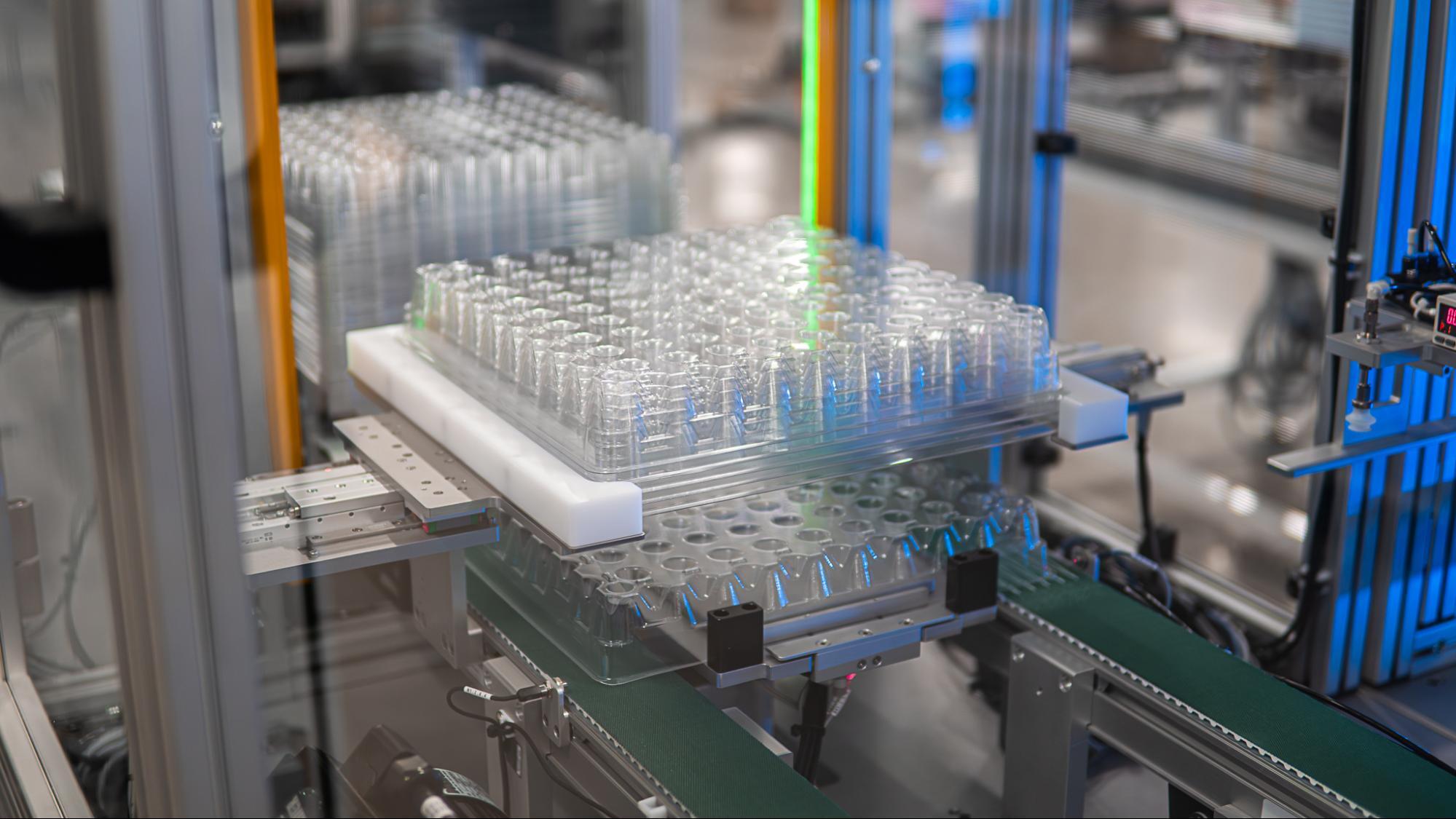
Molded parts come out of the press in a specific, known position. The orientation and pitch are already defined. If you drop those parts into a tote or bag before you move them to the next stage of the line, however, you’ve given up that control. The automation would then have to separate each component and reorient it before the next operation — not easy. More likely, you’ve got operators manually reorienting parts from the bin so they’re all facing the right direction for the next machine.
It takes precision material handling to avoid that reset and optimize your tray automation. Here are a few ways to keep parts in the right position out of the press and carry them into the next production step.
1. PRESERVE ORIENTATION AND PITCH OUT OF THE PRESS
Before anything else in precision material handling, you need to preserve orientation at the initial handoff.
If parts leave the mold at a repeatable pitch, the end-of-arm tool should transfer them into automation trays with no changes to the part’s orientation. If you succeed, there’s no more random presentation problem and no operator intervention required. Automation can treat each pocket as a known location.
It’s easiest to do this with components that have a critical face or keyed assembly geometry. Take care to leave any needed inspection features exposed in the part’s planned pitch/orientation and placement in the tray. As a side benefit, because the part stays controlled through the transfer, delicate surfaces will receive less incidental contact than a standard or manual process.
2. GIVE EVERY TRAY POCKET A POSITIVE LOCATION
We think of tray pockets as for containing the product, but they should also work to establish position.
You might consider adding keying features and datum surfaces to prevent parts from sitting backward or slightly rotated. Try to make sure tray pocket geometry reflects the tolerances required for your next process, too. If the pockets are too snug or too deep, they may interfere with downstream gripping functions. As NIST notes in its manufacturing robotics research, robotic assembly operations rely on specialized tooling or jigs to position parts within required tolerances.
Each pocket serves a similar function for tray automation. The geometry limits allowable orientation for the parts as they head on to the next station.
3. MATCH PRECISION HANDLING TO THE PART
There are multiple viable gripping methods, but the best choice will reflect the component itself.
Mechanical fingers are best suited to rigid parts with stable contact surfaces. Smooth components with broad surfaces work better with vacuum handling. Flexible or delicate parts will call for tooling geometry that controls deformation and keeps the component secure during acceleration.
You must also consider the grip location on the part. If you’re making contact near a thin wall, you could distort a molded component. Contact over an inspection surface can introduce marks that interfere with quality checks.
Carefully define where contact occurs during part handling and what forces act upon the component under load.
4. ADD FEEDBACK WHERE CONTACT OR POSITION VARIES
Because some parts may arrive with small positional differences or require tightly controlled gripping force, vision is your best friend. Use vision inspection systems throughout the cell to verify position before pickup.
Force feedback is valuable, too, to confirm contact during insertion or gripping. A 2025 review in Frontiers in Manufacturing Technology describes force and torque measurement as “critical” to robotic manipulation — and also notes that these sensors are commonly installed between the robot wrist and gripper. Good advice, to our mind.
The purpose is controlled correction. The automated inspection system helps the robots detect any measurable deviation and respond according to defined limits. No more reliance on mechanical tolerance alone.
5. INTEGRATE TRAY HANDLING WITH THE ENTIRE AUTOMATED MANUFACTURING CELL
Tray loading is one stage of precision material handling, but the greatest gains in control will come when you connect that stage with the rest of the production sequence.
A fully integrated automated manufacturing cell retains information about where the part originated and where it sits in the tray from beginning to end. The system is able to coordinate tray indexing with robotic transfer, tray stacking, mobile docking stations, and downstream processing. Altogether, it’s much easier than in a manual process to achieve repeatable presentation — and ROI — as products move between processes.
Jerit Automation designs fully integrated material handling automation solutions. We regularly work with press-side extraction feeds and custom end-of-arm tooling. Talk to us about your part handling automation needs and we can discuss optimal ways to maintain orientation into tray automation and onward through downstream operations.
FAQS
What is precision material handling?
Precision material handling is the controlled movement of parts while maintaining required position and orientation through production.
What is tray automation?
Tray automation uses robotic or mechanical systems to load, index, stack or unload trays as part of an automated manufacturing process.
Why preserve part orientation after molding?
The mold already provides a repeatable part position. Preserving it eliminates a separate reorientation step before inspection or assembly.
What are keying features in automation trays?
Keying features physically restrict how a component fits into a tray pocket, helping establish the required orientation.
How does part geometry affect robotic gripping?
Geometry determines available contact surfaces and influences the choice between vacuum handling, mechanical gripping or specialized tooling.
When does vision improve part handling automation?
Vision is useful when part position varies enough that fixed robot coordinates no longer provide the required placement accuracy.
How does tray automation support delicate components?
Dedicated pockets separate parts and control their position, reducing unnecessary contact during transfer or storage.
How does a fully integrated cell improve tray handling?
An integrated cell coordinates press-side extraction with robotic handling and tray movement so orientation established upstream remains useful throughout production.